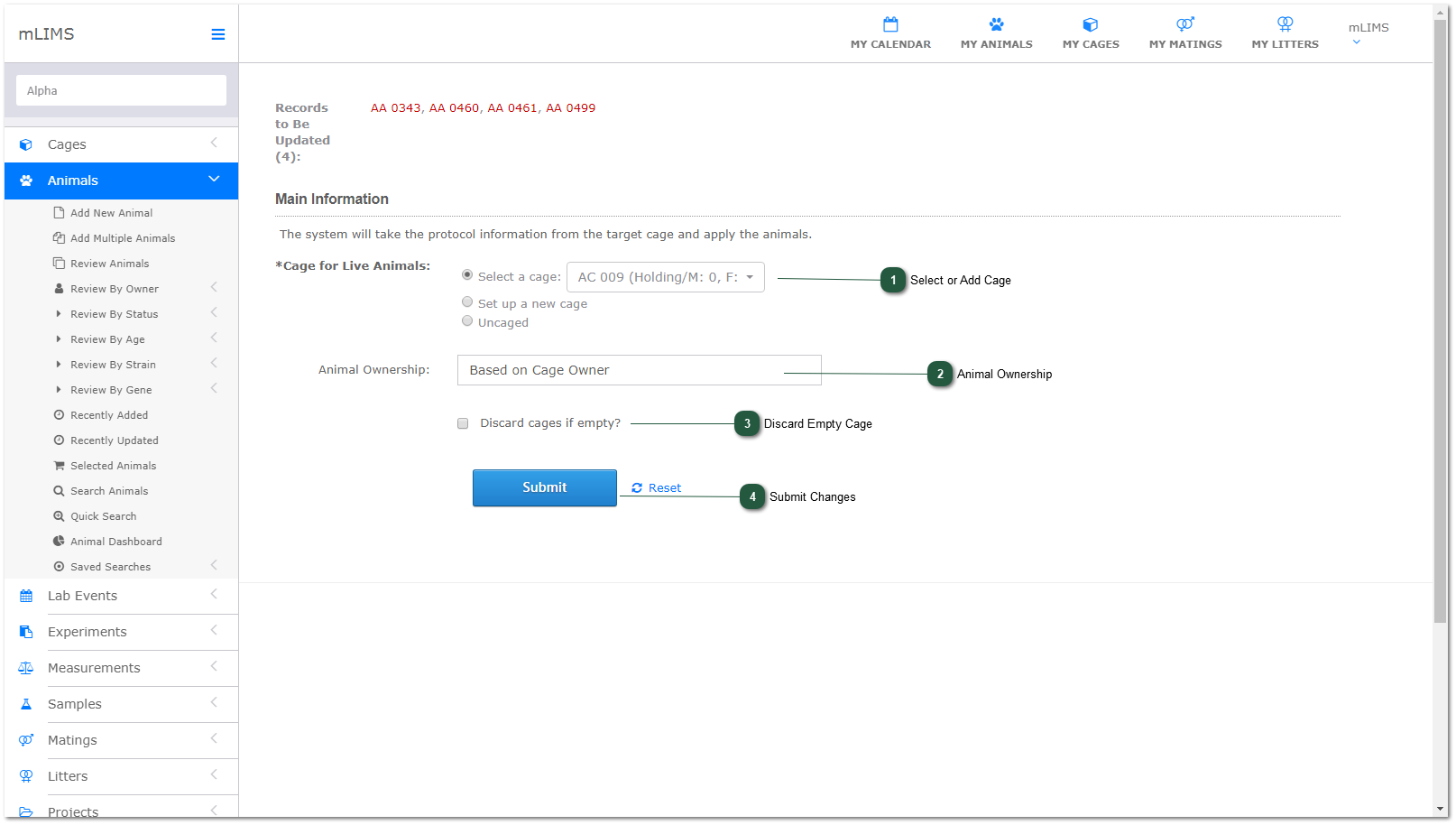
Transfer Animals
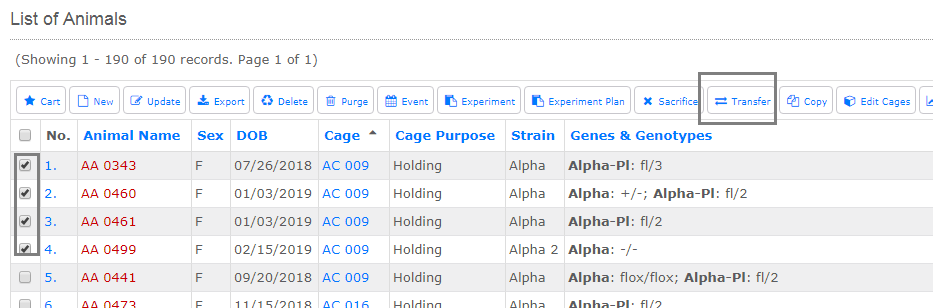
Go To: Animals - Review or Search Animals
Select animals to transfer to a new or existing cage, and click the Transfer action button.
- Select or Add Cage
Select an existing cage, or set up a new one. If you set up a new cage, the add cage will pop up. Create the cage and save it. Be sure to complete steps 3, 4, and 5 after the cage is added.
- Animal Ownership
Select how to assign the animal ownership from the dropdown: Based on Cage Owner, Assign to Myself, or Remain Unchanged.
- Discard Empty Cage
Check this box if you want to discard the cage transferring from. mLIMS will only discard the cage if it is empty.
- Submit Changes
Remember to submit changes, even if you have created a new cage.