Discard Cages
Cages - Review or Search Cages
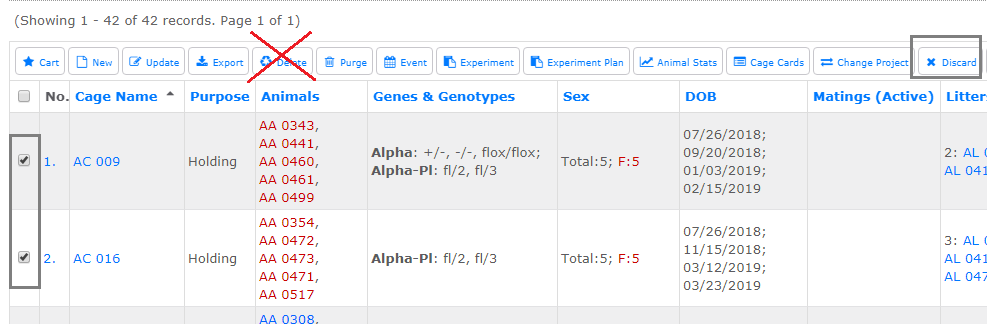
Select one or more cages and click Discard action button. Do not use delete to discard cages - learn the difference between discard and delete.
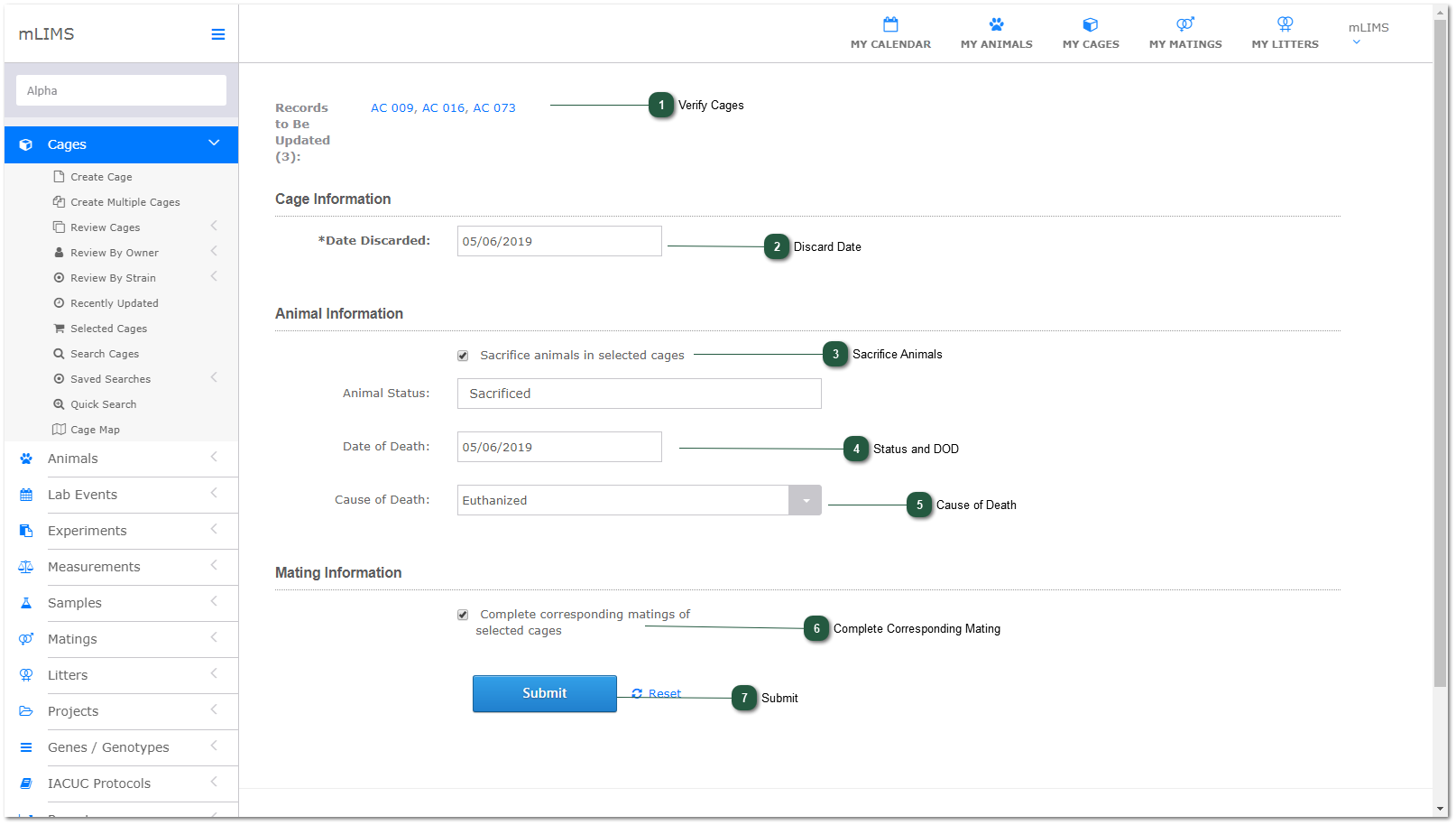
- Verify Cages
mLIMS will verify the cages to discard.
- Discard Date
mLIMS will default to today. Change the date if desired by clicking in the date field.
- Sacrifice Animals
If this box is checked, mLIMS will also sacrifice all animals in the cage. If not checked, the animals will be active but without a cage.
- Status and DOD
By default, mLIMS will change status of the cage to discarded. If sacrificing animals, enter date of death.
- Cause of Death
Select cause of death (optional) from dropdown, or type in new value to add to the auto-generated dropdown list.
- Complete Corresponding Mating
Check this box if a mating is associated with the cage and you want to mark it as complete (retired mating).
- Submit
Click submit to discard and sacrifice animals (if selected).