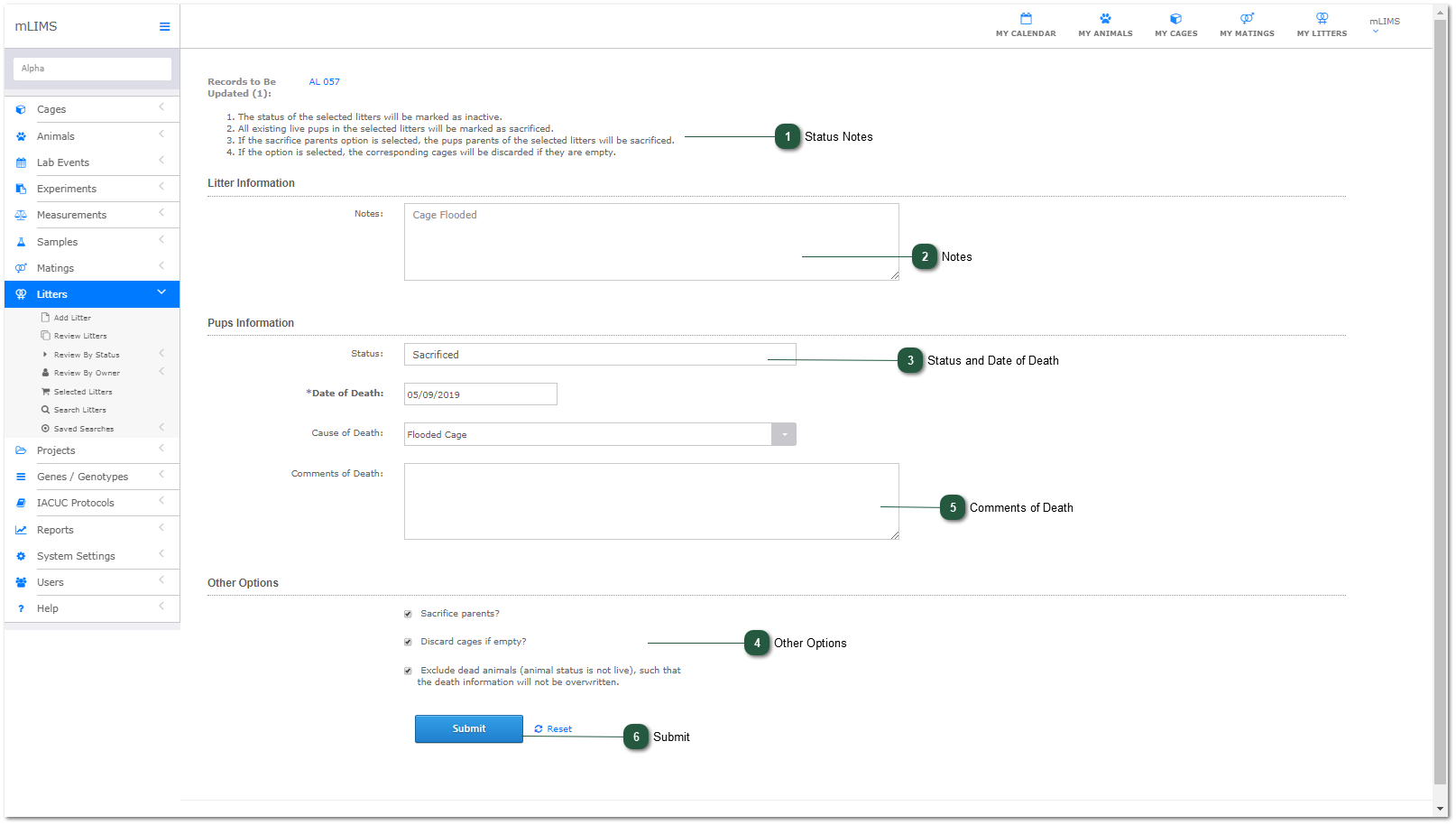
Discard Litter
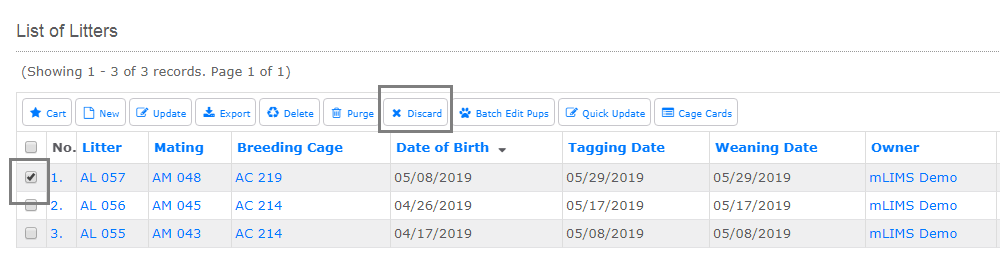
Litters - Review or Search Litters
Select one or more litters and click the Discard Action Button. This function will discard an entire litter, mark the litter record as inactive, and mark the pups as sacrificed.
- Status Notes
 Look at the status notes carefully. Several actions can be completed in one step, including mark litter as complete, sacrifice pups, sacrifice parents, and discard cage. Options 3 and 4 do not need to be checked.
 - Notes
Enter any notes about the litter (optional).
- Status and Date of Death
Select pup status from the dropdown and add date of death. By default, the status is Sacrificed. Other status options include missing, moved, in transit, or unknown. All of these are considered to be inactive status.
- Other Options
Check any additional options: Sacrifice Parents, Discard Cage, Exclude dead animals (if an animal is already marked as dead, the status will not change).
- Comments of Death
Add any comments related to death
- Submit
Click Submit to discard litter(s).