Mating Details
Matings - Add Matings
Begin with creating mating, this is step 2
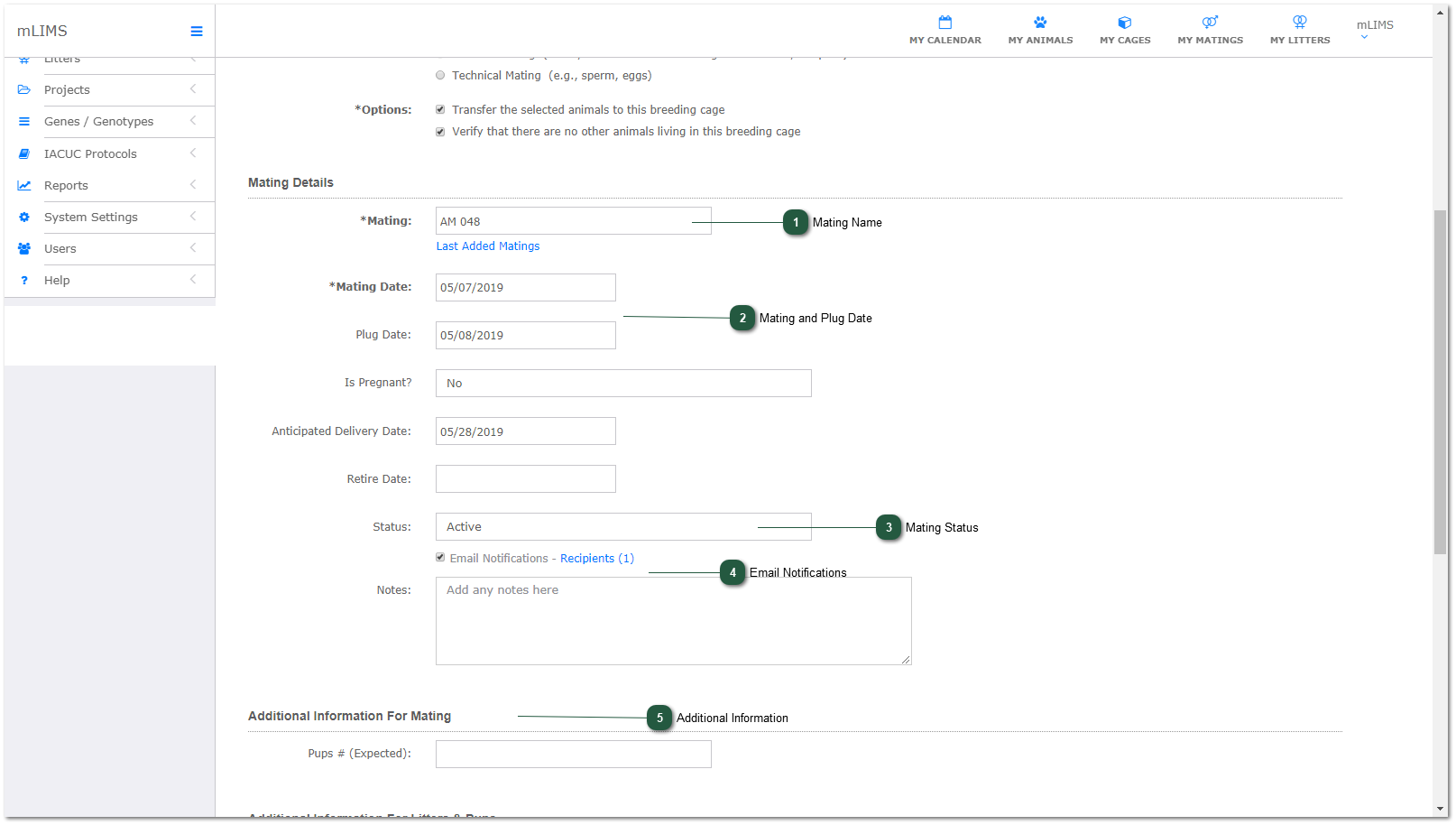
- Mating Name
Enter a name for the mating. Click the Last Added Matings link to view last 10 mating names. Matings can also be named automatically using Projects.
- Mating and Plug Date
Enter mating date (default is today, but you can change it). The plug and anticipated delivery date will fill in automatically based on your system settings.
- Mating Status
Select status from dropdown menu.
- Email Notifications
If you have turned on email notifications in personal preferences, this will be checked in automatically. Click the recipients link to select who should receive the email reminder.
- Additional Information
Proceed to Litter and Pup Details.